Every call. Logged in your CRM. Automatically.

Click-to-call from any web page. Inbound and outbound calls land in HubSpot, Salesforce, Pipedrive, Zoho, Close, or Clio as soon as they end, attached to the right contact with the right duration and direction. No copy-paste. No missed entries.

Built for businesses using the Snapcom phone system

Incoming call
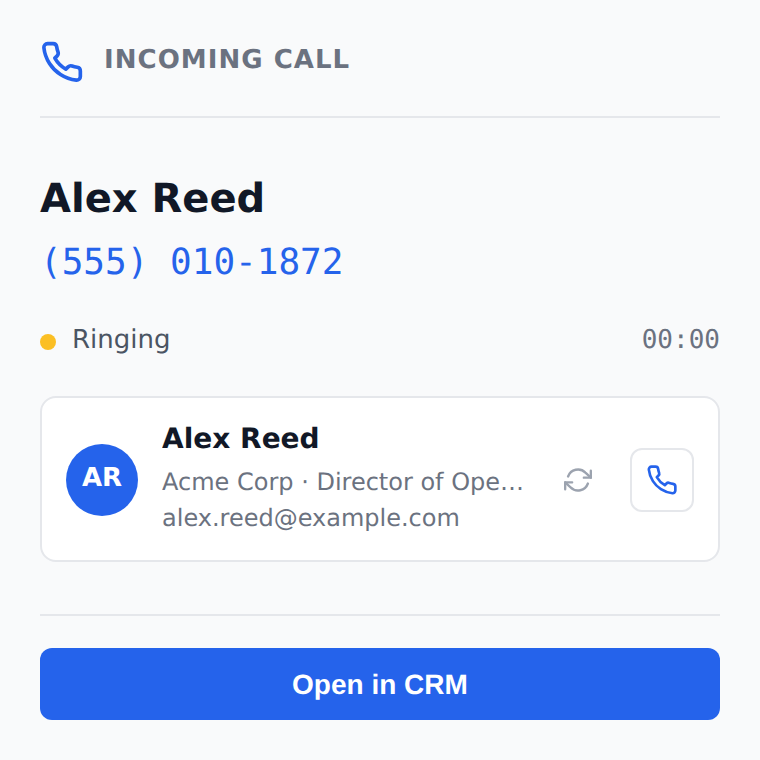
Active-call popup showing the matched CRM contact as the phone rings

Why Snapcom CRM Sync

1

Call from anywhere on the web

A small Call button appears next to every phone number on every page. One click rings your Snapcom device.

2

Contacts surface instantly

When a call connects, we look up the number in your CRM and show who it is before you say hello.

3

Sync runs itself

Every completed call lands on the matched contact with date, direction, duration, and an optional AI summary.

How it works

1

Install the extension. Sign in once.

Available for Chrome and Edge. Reps sign in with their existing Snapcom credentials. No separate account.

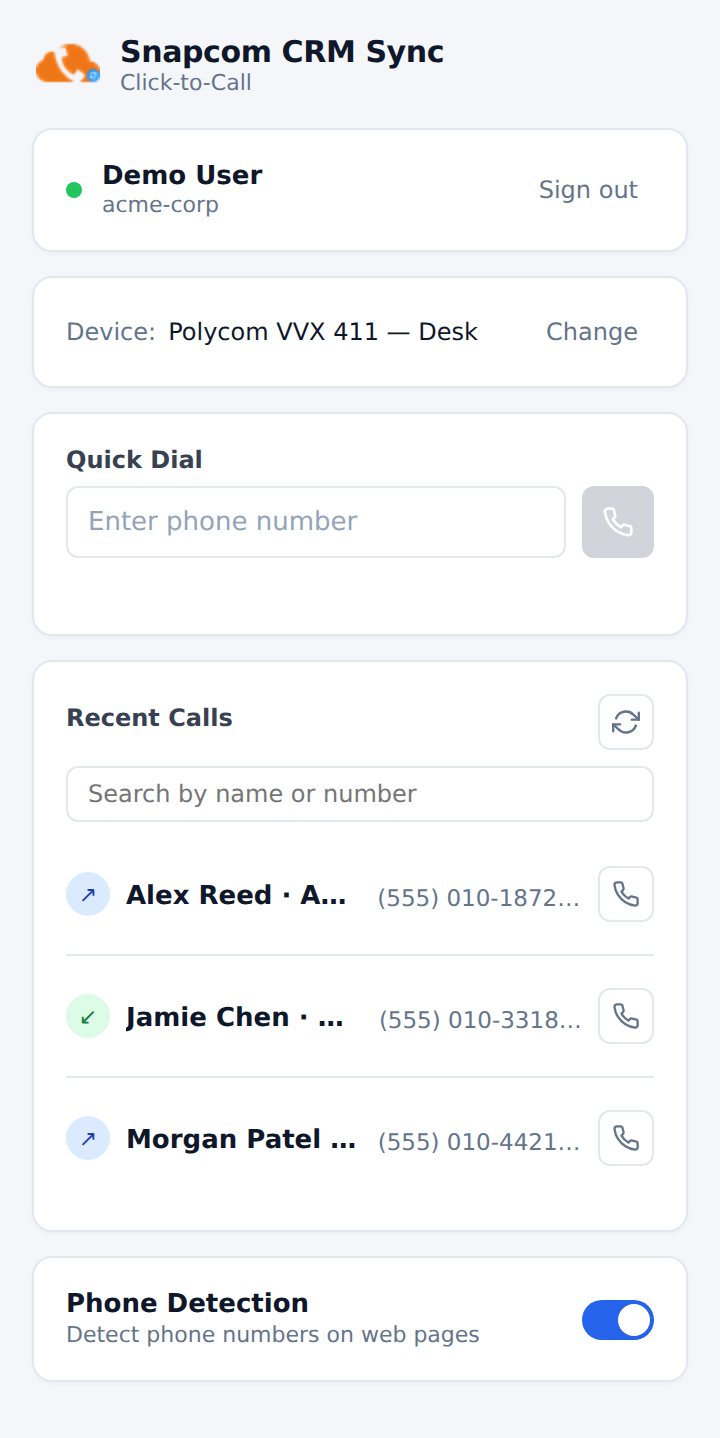
Snapcom CRM Sync browser extension popup
2

Click any phone number. Anywhere.

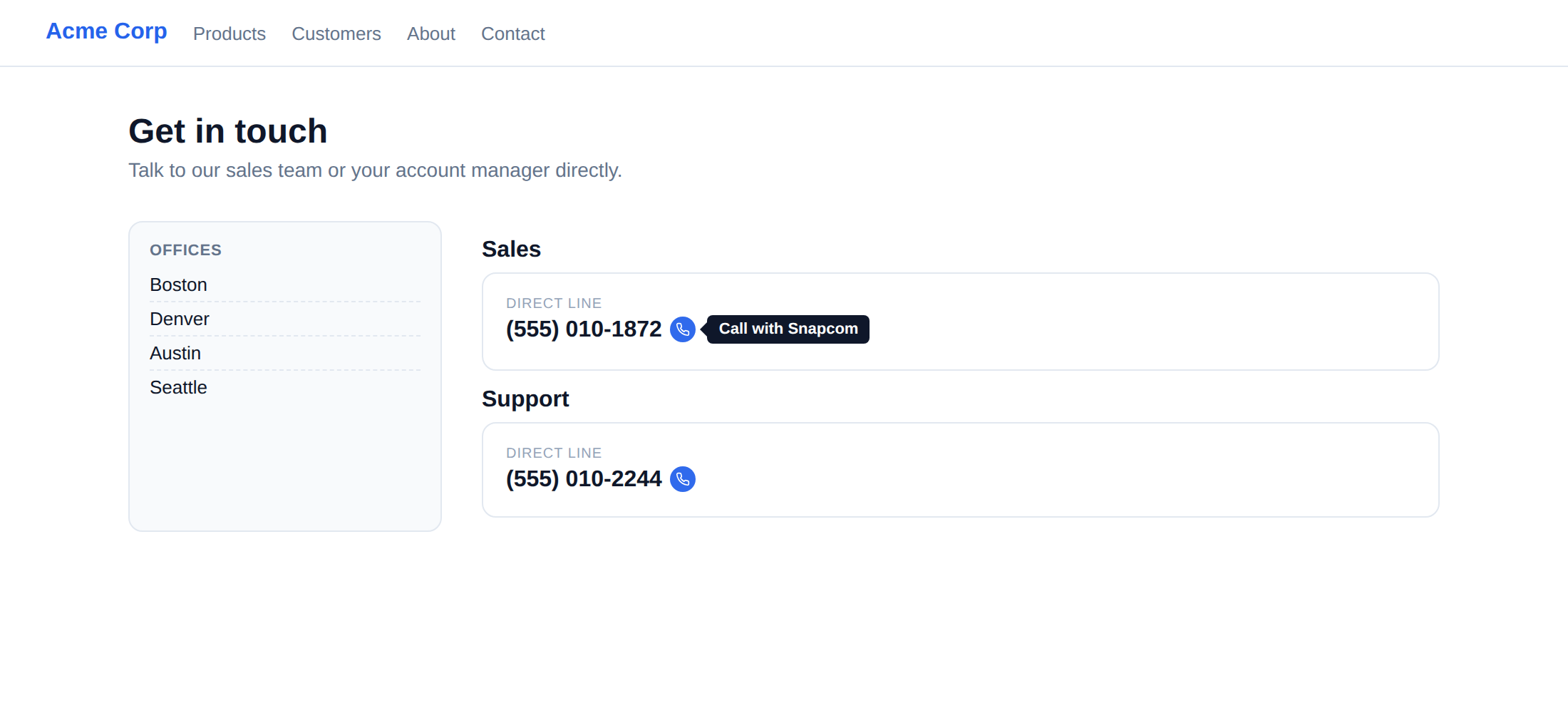
Numbers on websites, CRMs, email signatures, and intranet pages all get a Call button. Answer on your desk phone, softphone, or mobile.

Click-to-call button next to a phone number on a contact page
3

Hang up. The CRM updates itself.

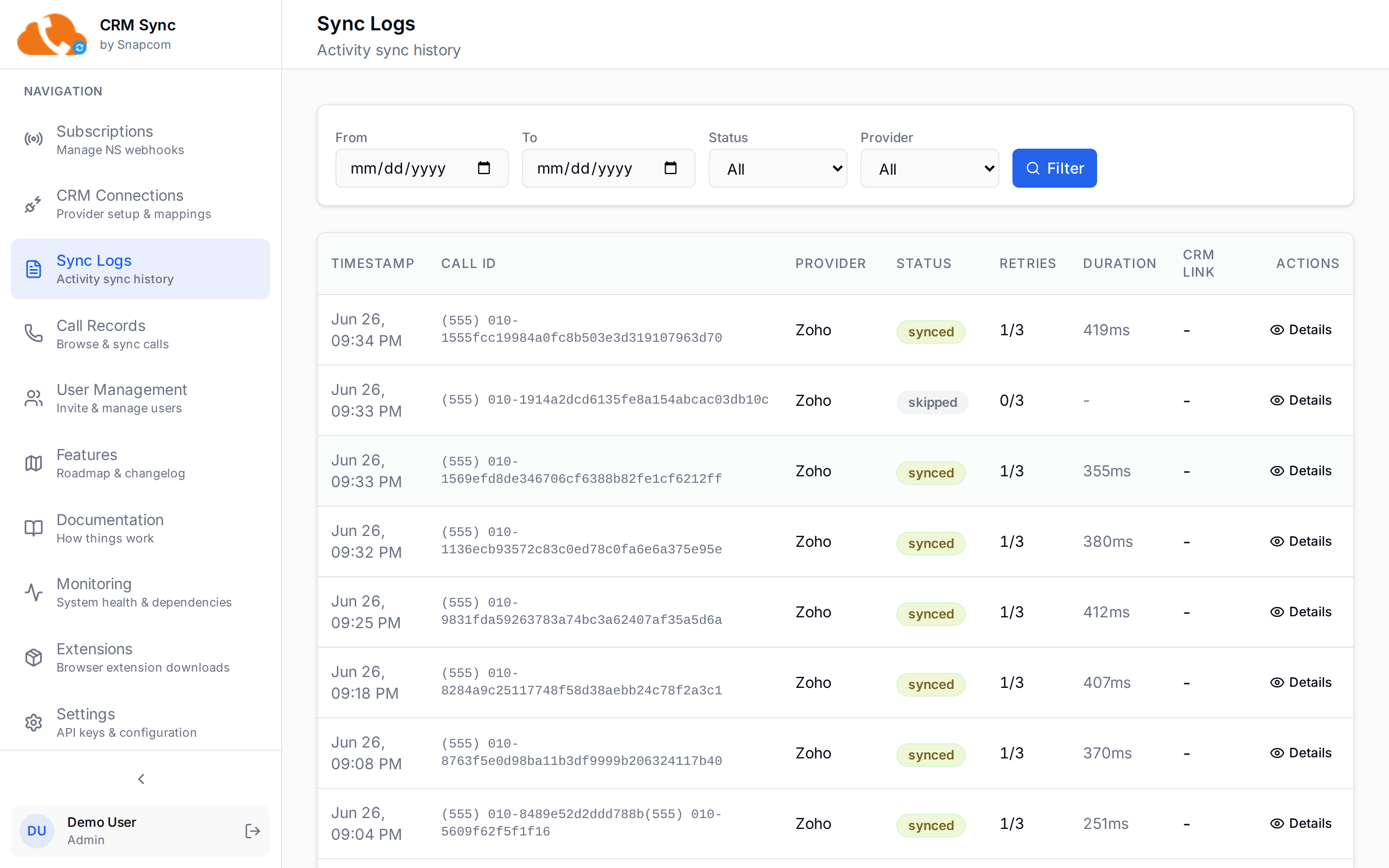
Within seconds, the call appears on the matched contact's activity log. Unmatched numbers can be auto-created as contacts, or held for review.

Sync activity log showing every call landing in the CRM

What lands in your CRM

Call timestamp & durationWhen the call started and how long it lasted
Always
DirectionInbound, outbound, or missed
Always
Caller & callee numbersBoth ends of the call, E.164-normalized
Always
Matched contact linkCalls auto-attach to the right contact in your CRM
Always
Recording playback linkOne-click link from the CRM activity back to the recording
Optional
AI call summaryPlain-language recap of what was said, written to the activity body
CalliQ add-on
Action itemsFollow-ups the rep committed to during the call
CalliQ add-on
Key factsCompany name, contact role, and other details pulled from the conversation
CalliQ add-on
Quality metricsTalk-vs-listen ratio, sentiment, longest monologue, and more
CalliQ add-on
Want AI summaries on every call? CalliQ turns recordings into searchable transcripts, summaries, action items, and quality scores, written straight onto the same CRM activity.
Learn more about CalliQ

What changes for the team

Less admin

Reps stop logging calls by hand. Time spent on CRM hygiene drops to near zero.

Full visibility

Managers see every call against every account, even the quick ones that "didn't need a note."

Faster context

The contact's name, recent activity, and CRM link appear as the phone rings.

Works with your CRM

Authorize once in Settings; sync is bi-directional for contact lookup, one-way write for call activity.

HubSpot
Salesforce
Pipedrive
Zoho
Close
Clio

Frequently asked questions

Do we need Snapcom phone service to use this?
Yes. Snapcom CRM Sync runs on top of your Snapcom phone service. The call data comes from the platform we already provide. If you're not on Snapcom yet, talk to your rep about both together.
Which CRMs do you support today?
HubSpot, Salesforce, Pipedrive, Zoho, Close, and Clio. New providers get added based on customer demand. If yours isn't listed, let us know.
What data lands in the CRM?
Always: date and time, direction, duration, caller and callee numbers, and a link to the matched contact. Optional: a playback link for the recording. With CalliQ enabled: an AI-generated call summary, action items, key facts (company, contact name, role), and quality metrics, all attached to the same activity record.
What happens to call recordings?
Recordings stay in Snapcom infrastructure. The sync optionally embeds a link to the recording in the logged activity so reps can click through; the audio itself never leaves Snapcom.
How long does setup take?
About 15 minutes for an admin: connect the CRM via OAuth, opt in your users, hand reps the extension link. Reps are productive immediately after installing.
Does it work with softphones, desk phones, and mobile?
Yes. Click-to-call rings whichever Snapcom device you've selected: desk phone, the Snapcom softphone, mobile, or a pickup-from-anywhere ring group.
Can we control which users sync?
Yes. Sync is per-user opt-in by default. Admins can either opt in users individually or flip a "sync all users" toggle for high-trust environments.
What if a sync fails?
Every attempt is logged with a status and error message. Failed syncs are auto-retried with backoff; admins can manually re-sync any call from the call detail page. Nothing is silently dropped.

Ready to stop logging calls by hand?

Snapcom CRM Sync is included for qualifying Snapcom phone accounts. Talk to your rep to enable it on your domain.

Contact Sales
© 2026 Snapcom. All rights reserved. CalliQ  ·  Privacy policy